LingoPulse
Offline phrases in 6 languages with flashcards, quizzes and spaced repetition.
LingoPulse is finished and being prepared for Google Play. There's no download yet.
A closer look.
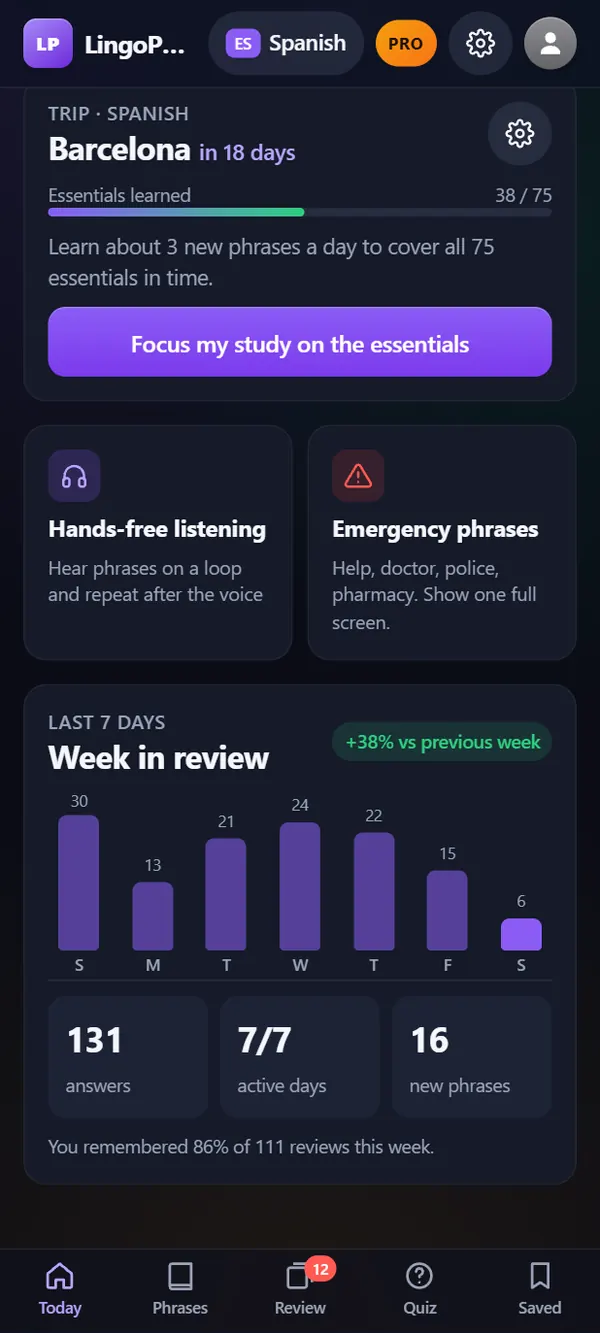
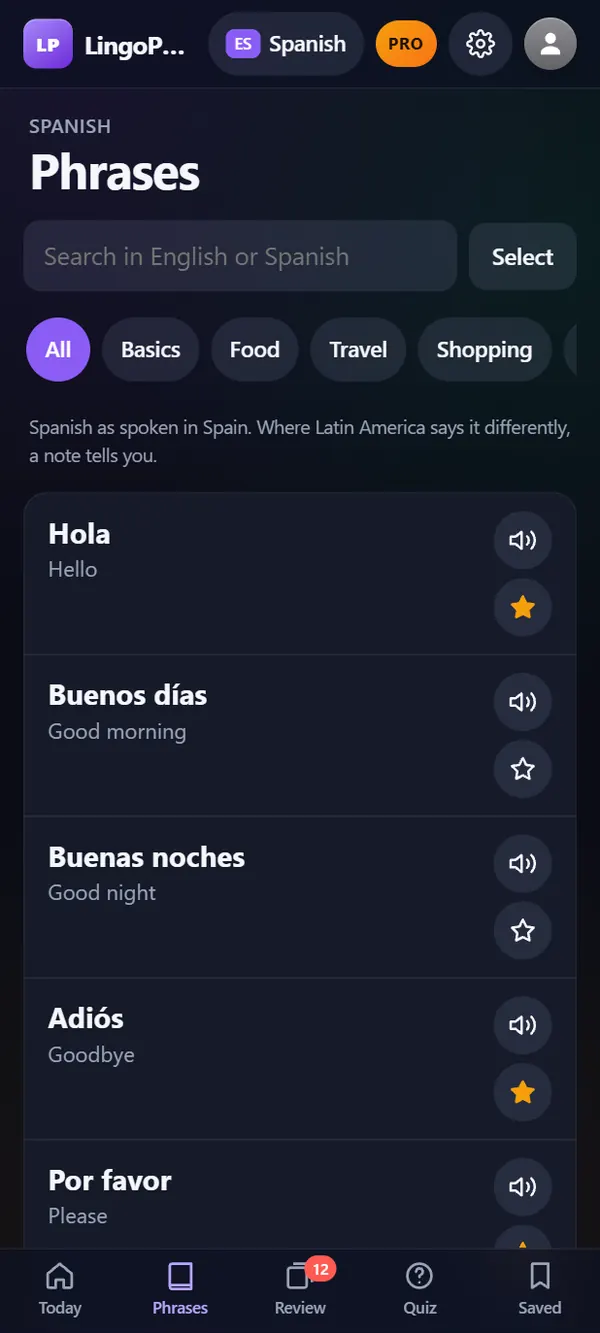
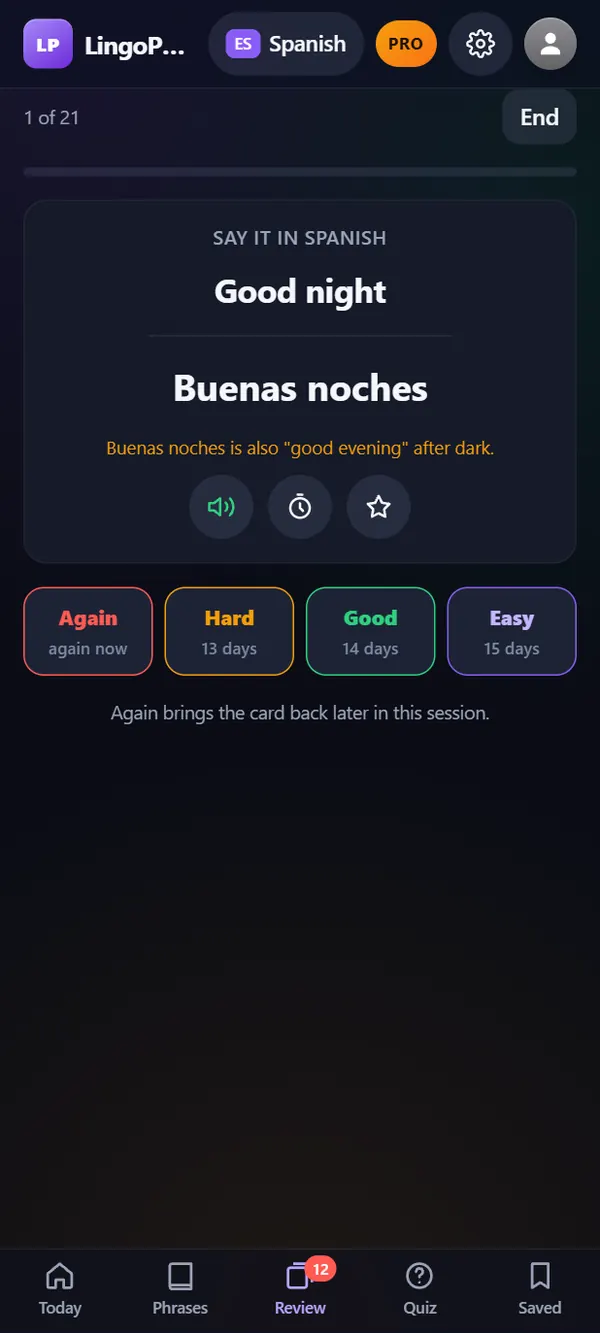
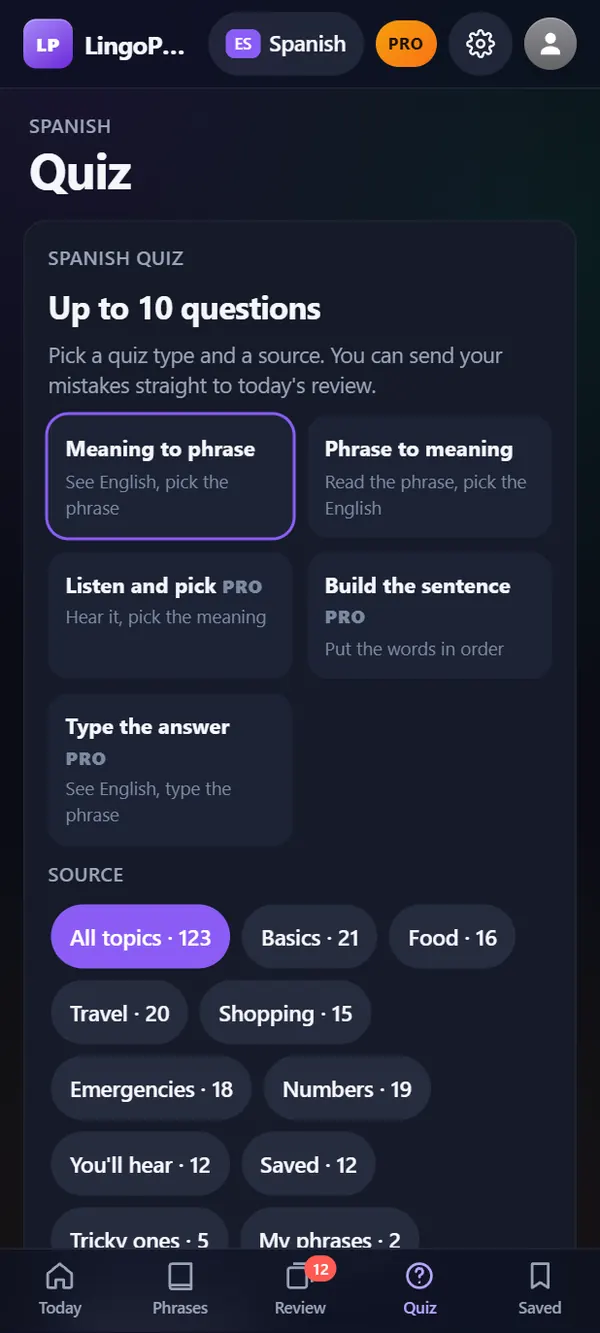
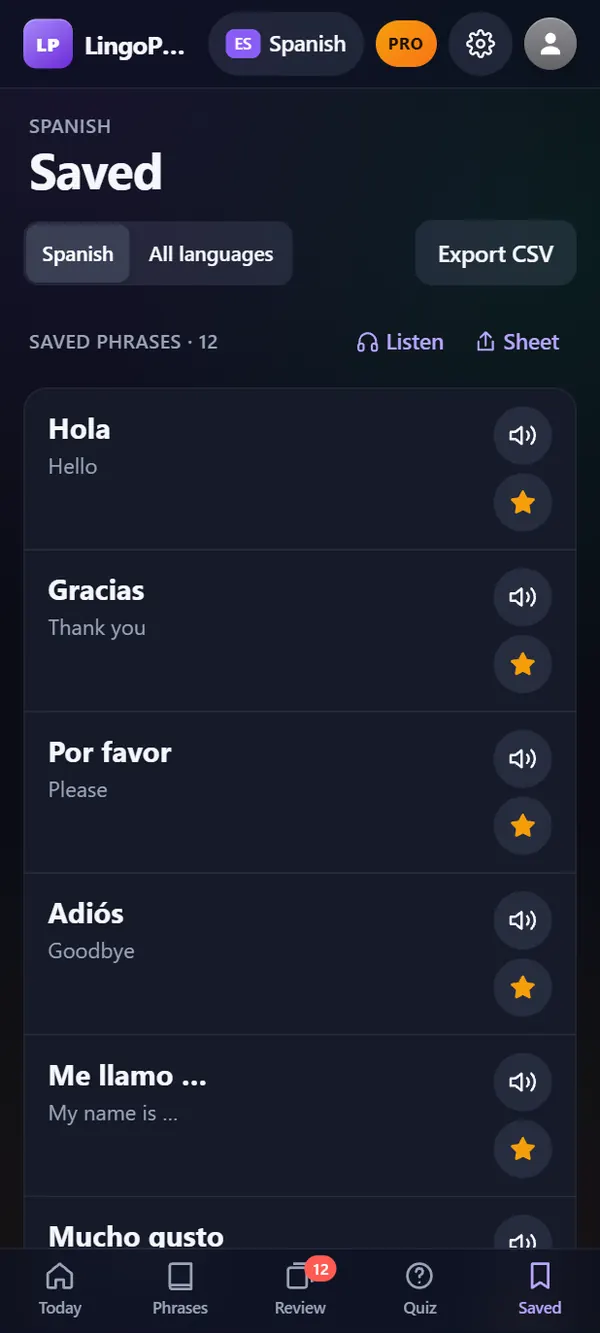
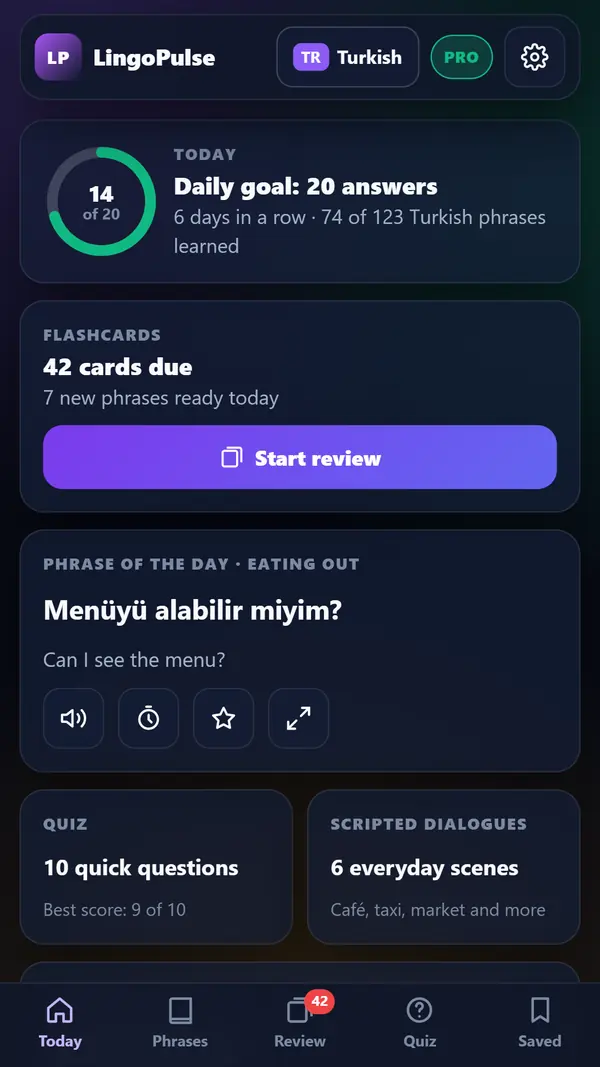
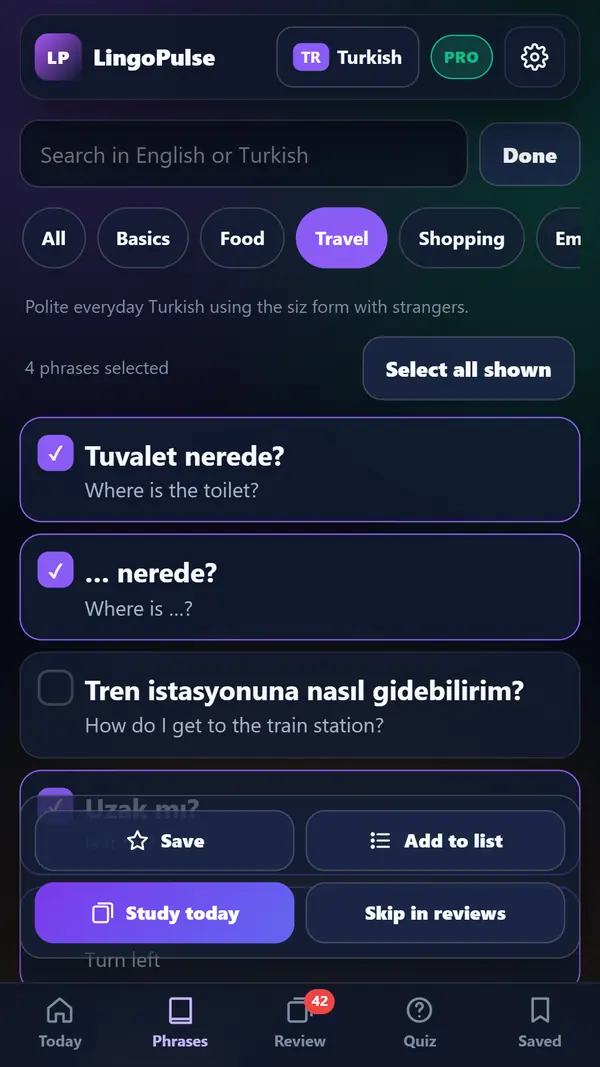
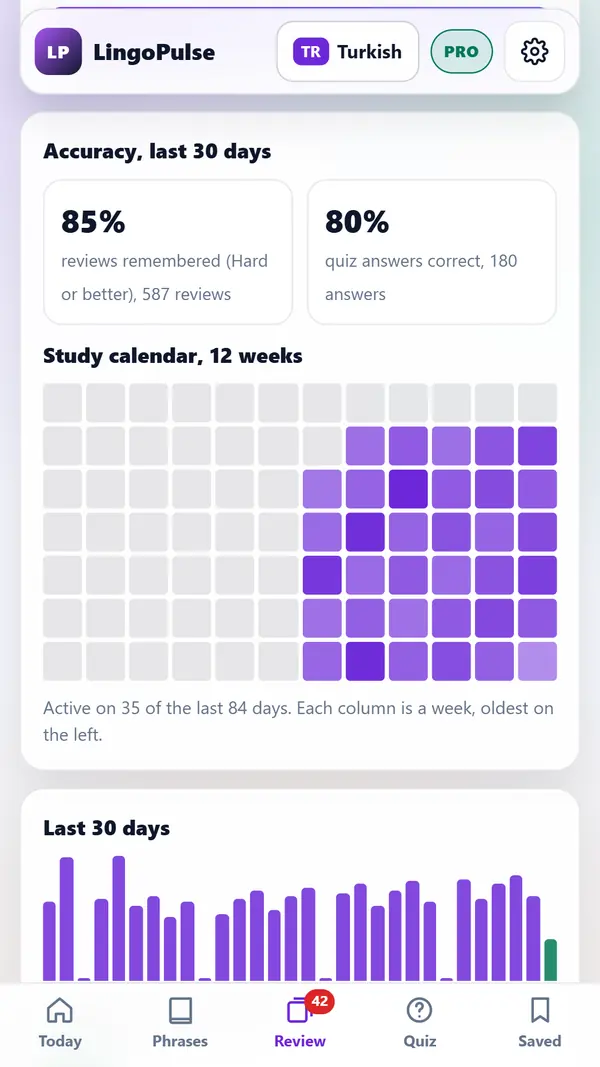
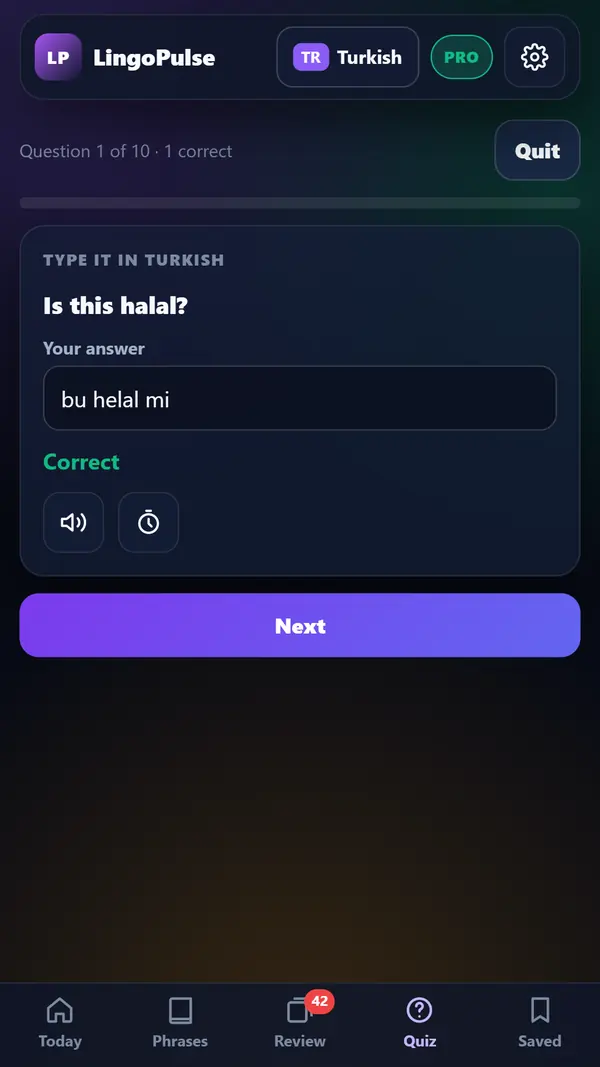
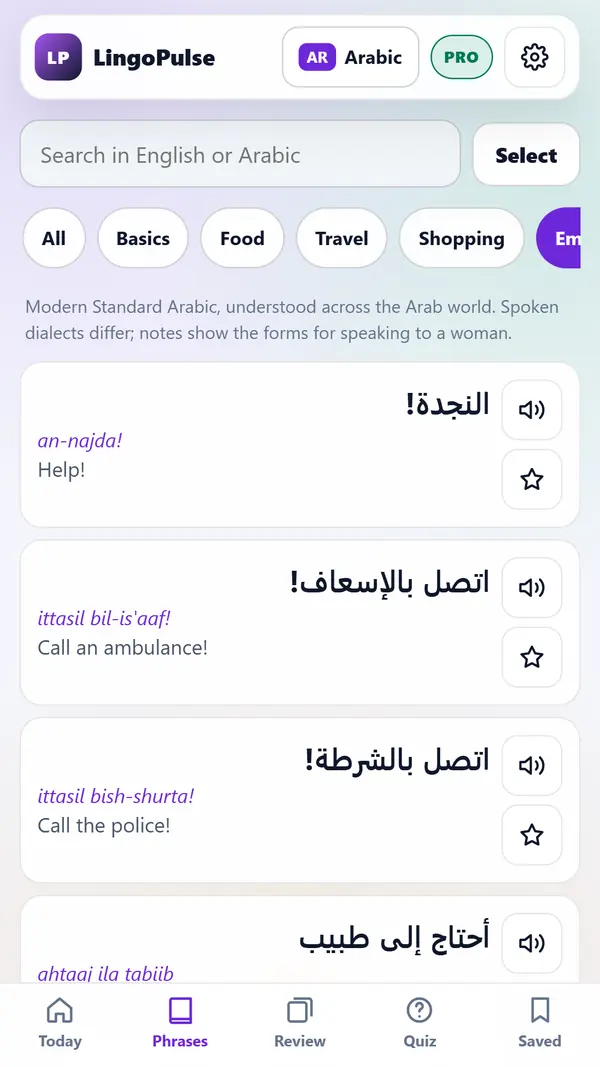
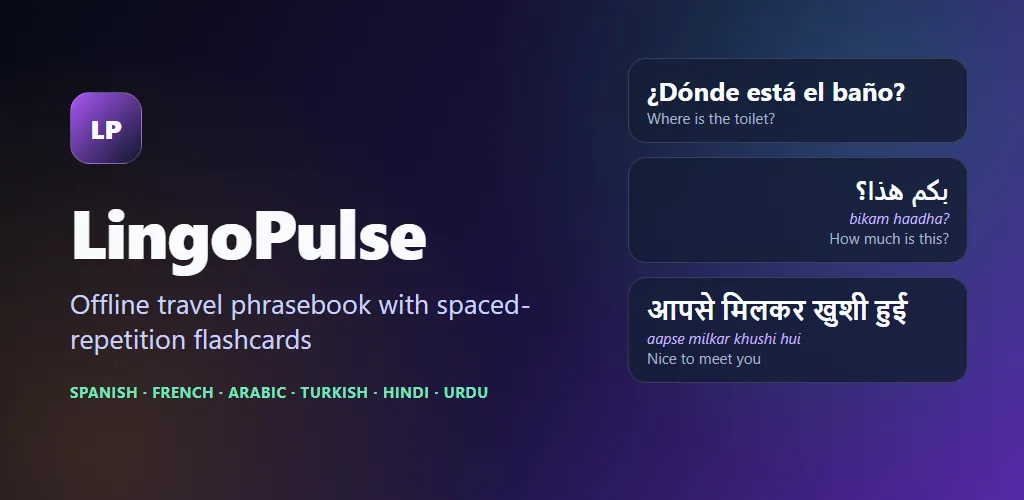
LingoPulse is an offline travel phrasebook and flashcard app. It covers the phrases you need abroad in Spanish, French, Arabic, Turkish, Hindi and Urdu, and helps you remember them with spaced repetition. No internet needed.
What's new in version 1.2
New in version 1.2, along with a refreshed design and the optional Bright Loop Account. Early-access testers get it through Google Play.
Trip planner that focuses your study on essentials
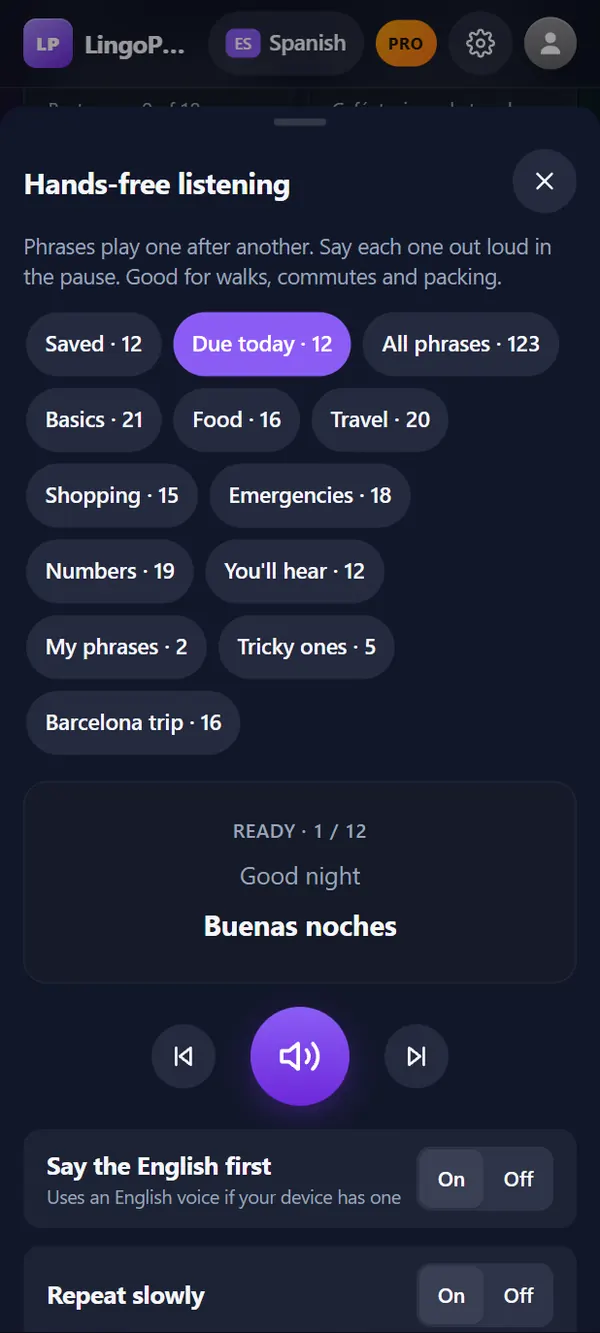
Hands-free listening mode
Printable phrase sheet
Week in review
Feature tour.
Every feature in LingoPulse, and what it does for you. Items marked Pro are part of the optional subscription.
The phrasebook
- 121 phrases in six languages
- Spanish, French, Arabic, Turkish, Hindi and Urdu, covering greetings, eating out, getting around and hotels, shopping, emergencies and health, numbers and time, and things you will hear or see.
- Helpful notes
- Notes on polite and gendered forms and Latin American Spanish alternatives, romanisation under Arabic, Hindi and Urdu, and numbers with their local digits.
- All six languages side by side
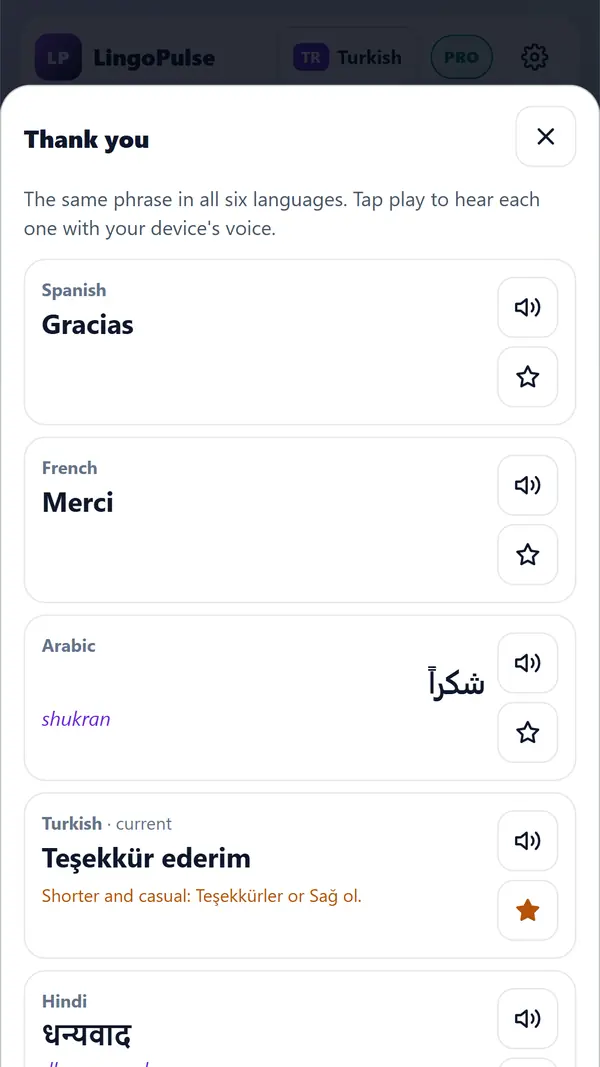
- Compare any phrase in every language with All 6 languages.
- Show it full screen
- Show a phrase in large type to a taxi driver, waiter or pharmacist.
- Emergency phrases
- Help, doctor, police and pharmacy phrases one tap away from the Today screen.
- Your device's voice
- Phrases are read aloud by your phone's text-to-speech voices at normal or slower speed. This is a synthetic voice, not a recording, and the app tells you if a language has no voice.
Flashcards and progress
- Spaced repetition
- SM-2 spaced repetition brings cards back just before you are likely to forget them. Rate each card Again, Hard, Good or Easy.
- Choose your pace
- Set new cards per day and which topics to study. Skip phrases you already know so they stay out of reviews.
- Daily goal and streak
- A daily goal of answers, a streak and progress by topic for each language.
- Week in review
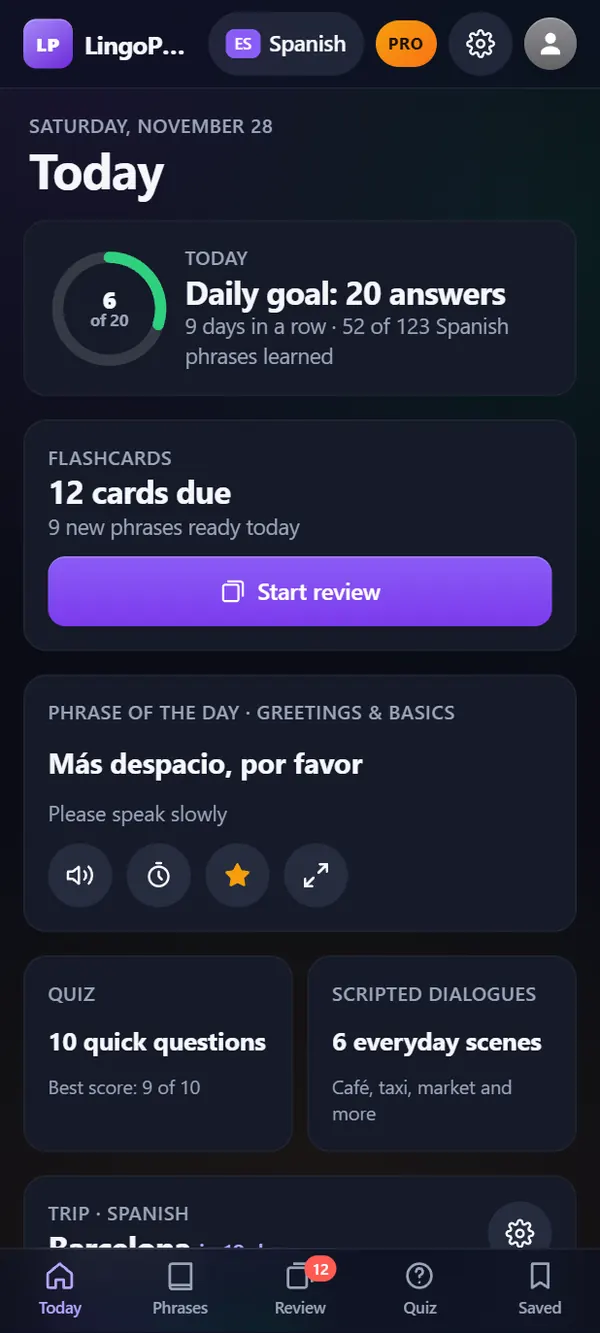
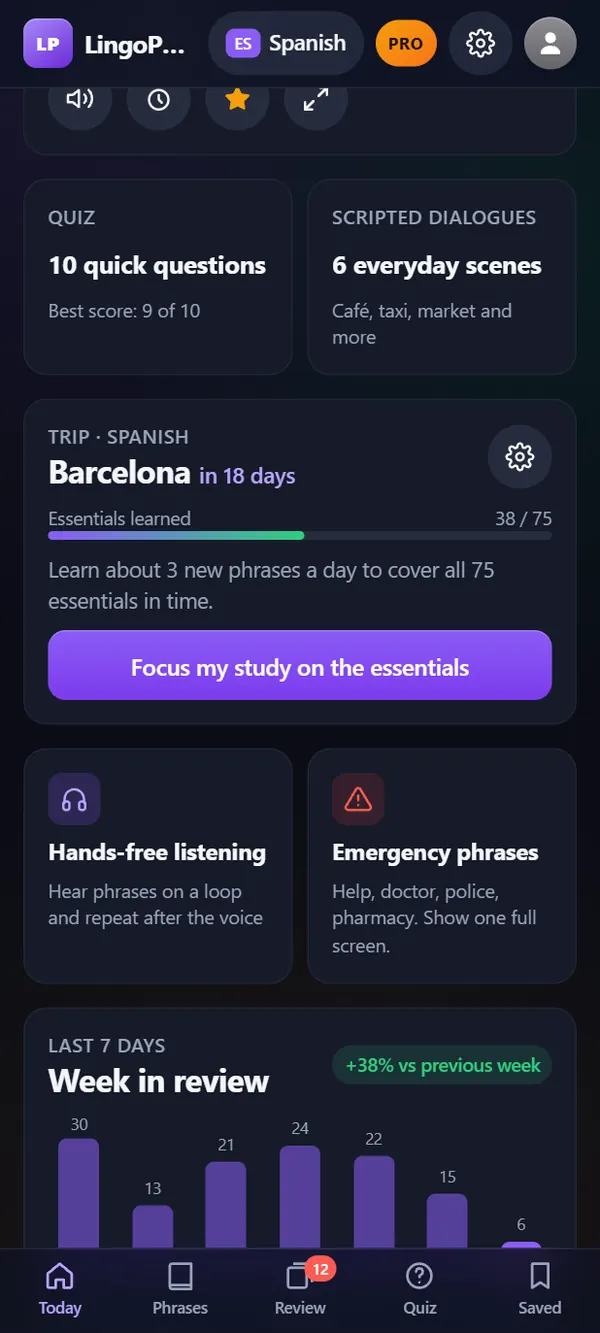
- A chart of answers over the last 7 days with active days, new phrases and how much you remembered, compared with the week before.
- Progress charts Pro
- A 30-day activity chart with a 7-day review forecast, review retention, quiz accuracy and a 12-week study calendar.
- Hardest-phrases drill Pro
- Practise the phrases you forget most often.
Quizzes and dialogues
- Multiple-choice quizzes
- 10-question quizzes, meaning to phrase or phrase to meaning, from a topic, saved phrases, tricky ones or one of your lists.
- More quiz types Pro
- Listen and pick, Build the sentence and Type the answer, which accepts script or romanisation.
- Scripted dialogues
- Read or practise your part in everyday scenes: cafe, asking the way, taxi, market, hotel and pharmacy. Two are free; all six are in Pro.
New in 2.0
- Trip planner
- Set a departure date and LingoPulse counts down, shows how many essential phrases to learn each day and can focus your study on them.
- Hands-free listening
- Phrases play on a loop with an optional English prompt, a pause to repeat and a slower repeat. Good for walks, commutes and packing.
- Printable phrase sheet
- Save your saved phrases or a list as a plain-text sheet with the English, the phrase, romanisation and notes, ready to print or keep.
- Week in review
- See your last 7 days on the Today screen.
Lists and your own phrases
- Lists
- Group phrases into lists such as "Barcelona trip", then review, quiz, listen to or export a list as CSV. Free includes 2 lists; Pro has unlimited lists.
- Your own phrases
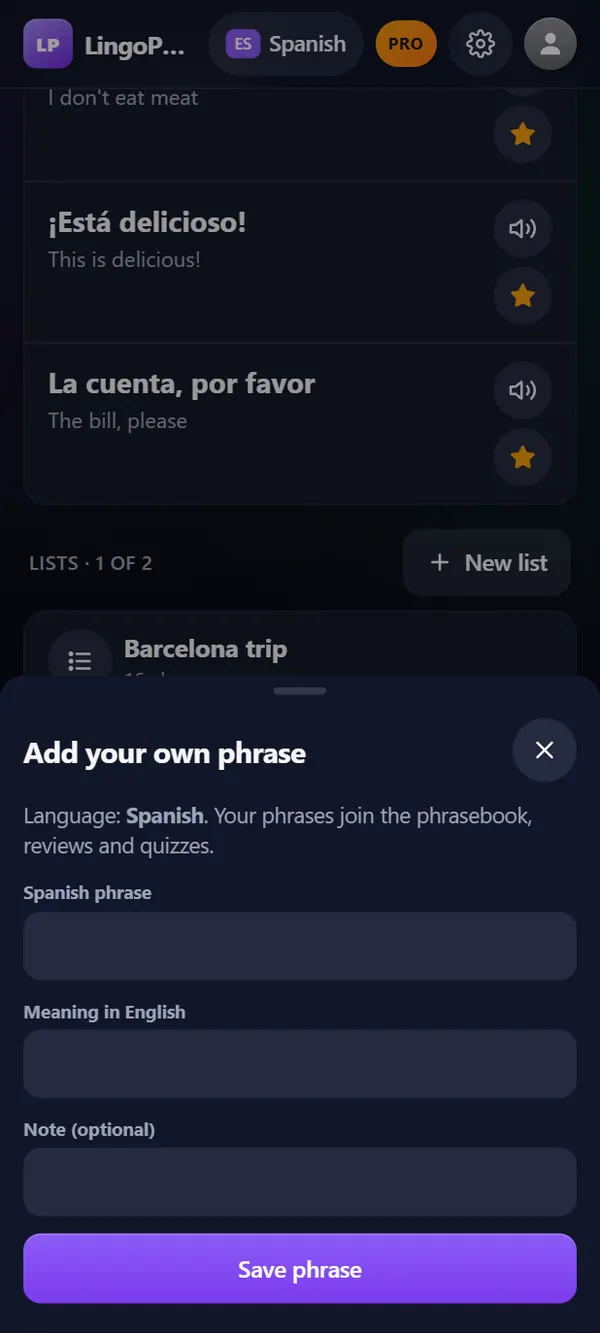
- Add your hotel address, a favourite dish or an allergy. Free includes up to 15 own phrases per language; Pro is unlimited.
- Multi-select
- Select many phrases to save them, add them to a list, study them today or skip them, with undo.
- Personal notes
- Write your own note on any phrase, such as a memory aid.
- CSV import and export
- Import your own phrases from a CSV file (phrase, English, romanisation, note) and export phrases as CSV.
Private by design
- Offline, no account needed
- No ads and no analytics. Everything stays on your phone.
- Backup and restore
- Back up to a file and restore it on another phone. Light and dark themes included.
Full store description
A phrasebook for real trips
- 121 phrases in every language: greetings, eating out, getting around and hotels, shopping, emergencies and health, numbers and time, and things you will hear or see
- Notes on polite and gendered forms and Latin American Spanish alternatives
- Romanisation under Arabic, Hindi and Urdu, and numbers with their local digits
- See any phrase in all six languages side by side
- Show a phrase full screen to a taxi driver, waiter or pharmacist
- Quick access to emergency phrases
Listen with your device's voice
Phrases are read aloud by your phone's text-to-speech voices, at normal or slower speed. This is a synthetic voice, not a recording. If your phone has no voice for a language, the app says so.
Flashcards, quizzes and dialogues
- SM-2 spaced repetition; rate each card Again, Hard, Good or Easy
- Choose new cards per day and which topics to study
- Progress by topic, daily goal and streak for each language
- 10-question quizzes from a topic, saved phrases, tricky ones or one of your lists
- Skip phrases you already know so they stay out of reviews
- Scripted practice dialogues: café, asking the way, taxi, market, hotel and pharmacy
Lists and your own phrases
- Group phrases into lists such as "Istanbul trip", then review, quiz or export a list as CSV
- Add your hotel address, a favourite dish or an allergy as your own phrases
- Select many phrases at once to save them, add them to a list, study them today or skip them, with undo
- Write your own note on any phrase, such as a memory aid
- Import your own phrases from a CSV file (phrase, English, romanisation, note)
How to use LingoPulse.
Step-by-step walkthroughs of the main tasks, with screens from the current version.
1Do your daily flashcard reviewReview the cards that are due today and learn a few new phrases with spaced repetition.
- Step 1
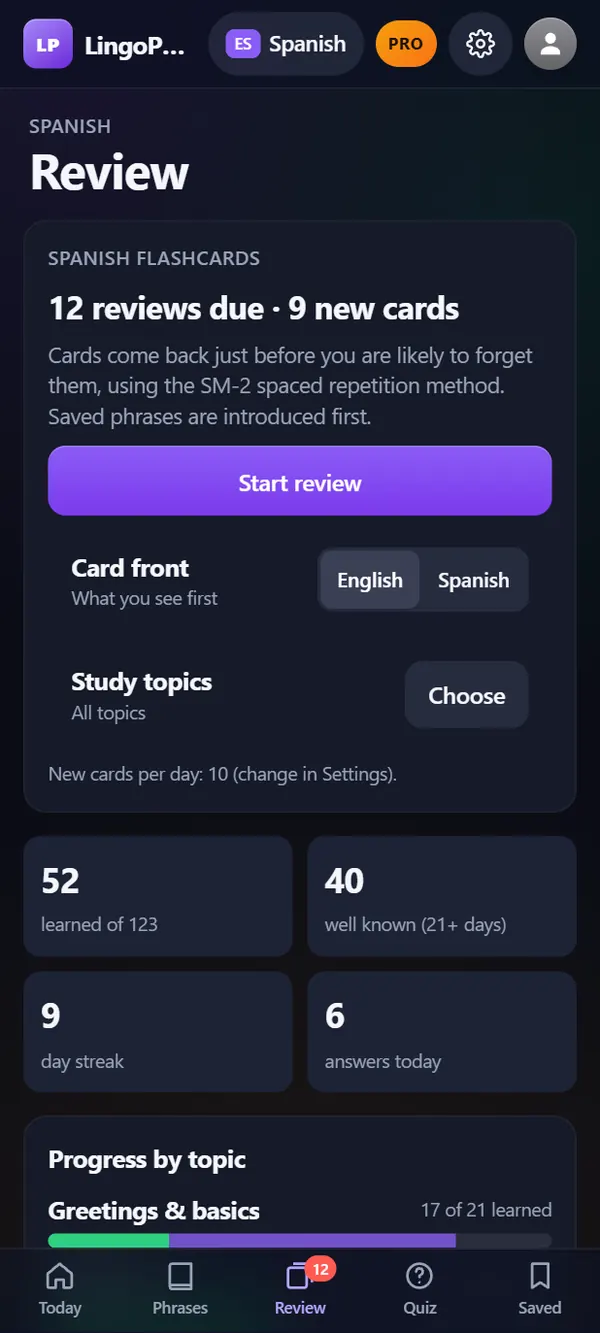
The Today screen shows your daily goal, your streak and how many cards are due. Tap Start review.
- Step 2
Say the phrase out loud, then tap Show answer. Rate yourself Again, Hard, Good or Easy; each button shows when the card will come back.
- Step 3
On the Review tab you can choose which side of the card you see first, pick study topics with Choose, and follow your progress by topic.
2Prepare for a tripSet a departure date so LingoPulse paces the essential phrases for you.
- Step 1
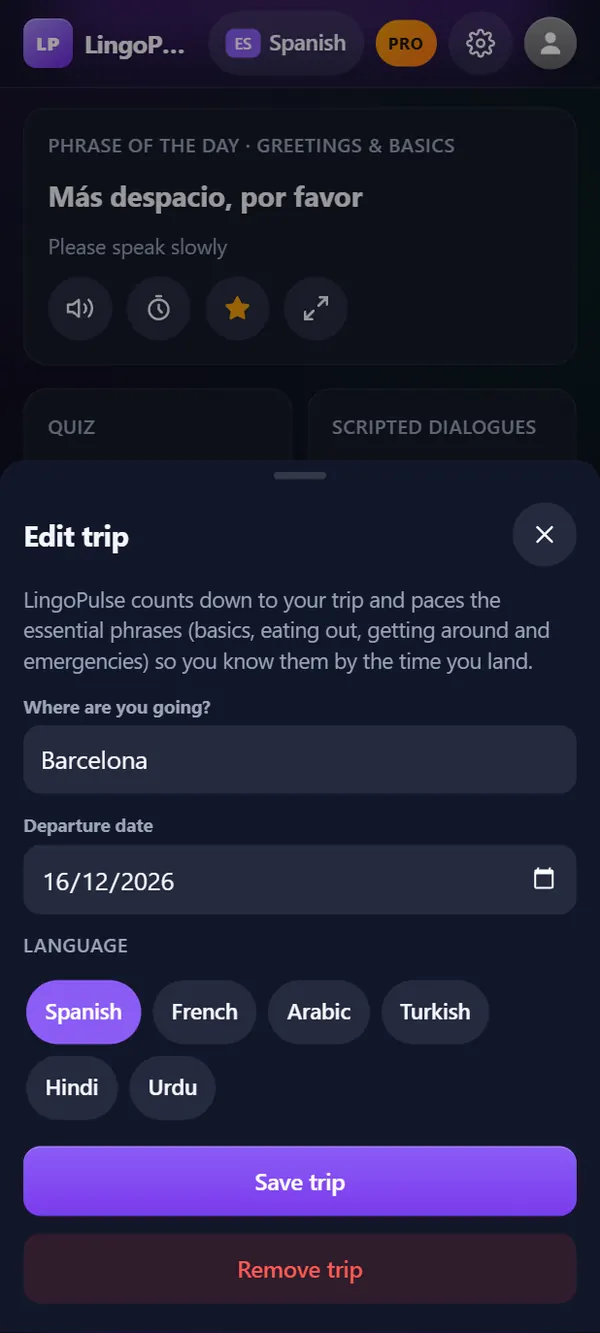
On the Today screen, tap Planning a trip? (or the gear on your trip card to edit it). Enter where you are going, the departure date and the language, then tap Save trip.
- Step 2
The trip card counts down to your trip and shows how many essentials you have learned and how many new phrases a day will cover them in time.
- Step 3
Tap Focus my study on the essentials to draw new cards from basics, eating out, getting around and emergencies at the pace you need.
- Step 4
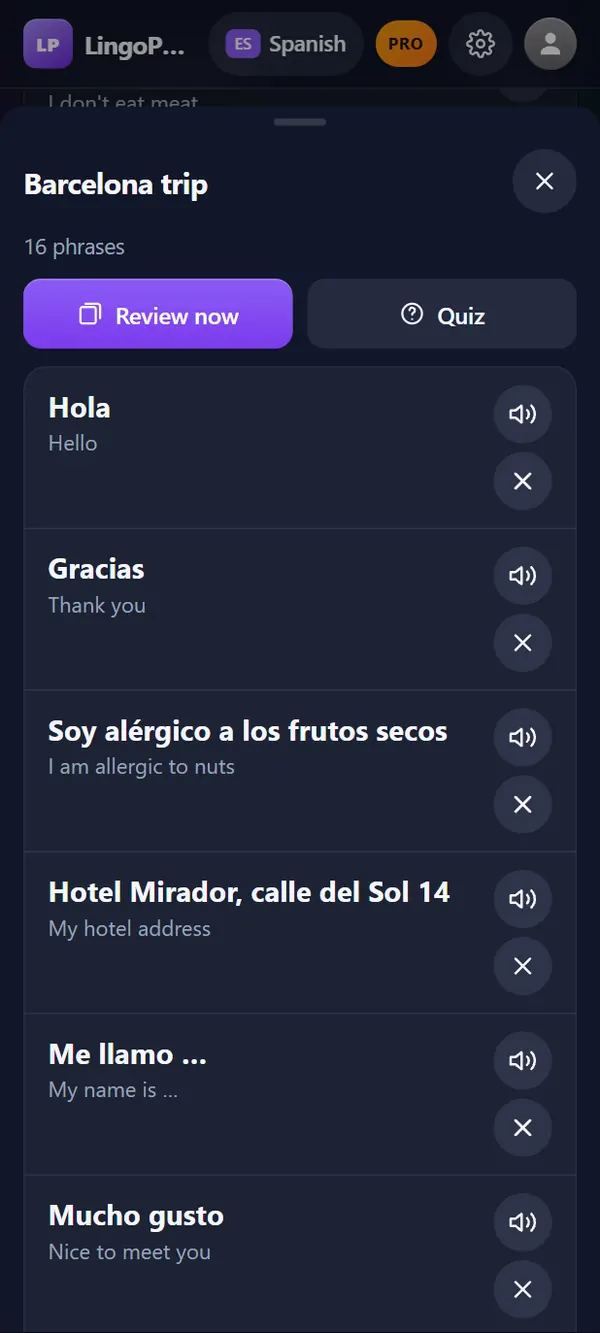
Make a list such as "Barcelona trip" under Saved to review, quiz or listen to just those phrases.
3Find and use a phrase abroadLook up a phrase, hear it, and show it full screen to the person you are talking to.
- Step 1
Open Phrases, pick a topic or search in English or the language you are learning.
- Step 2
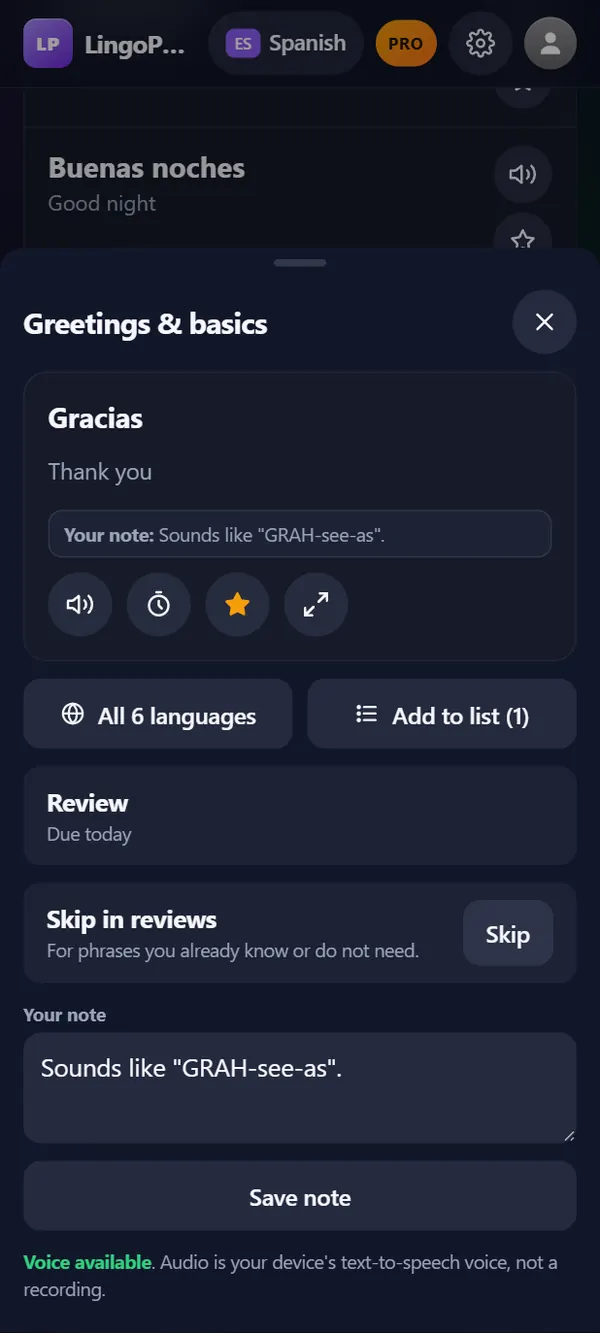
Tap a phrase to see its notes, write your own note, add it to a list or skip it in reviews.
- Step 3
Tap All 6 languages to compare the same phrase in every language.
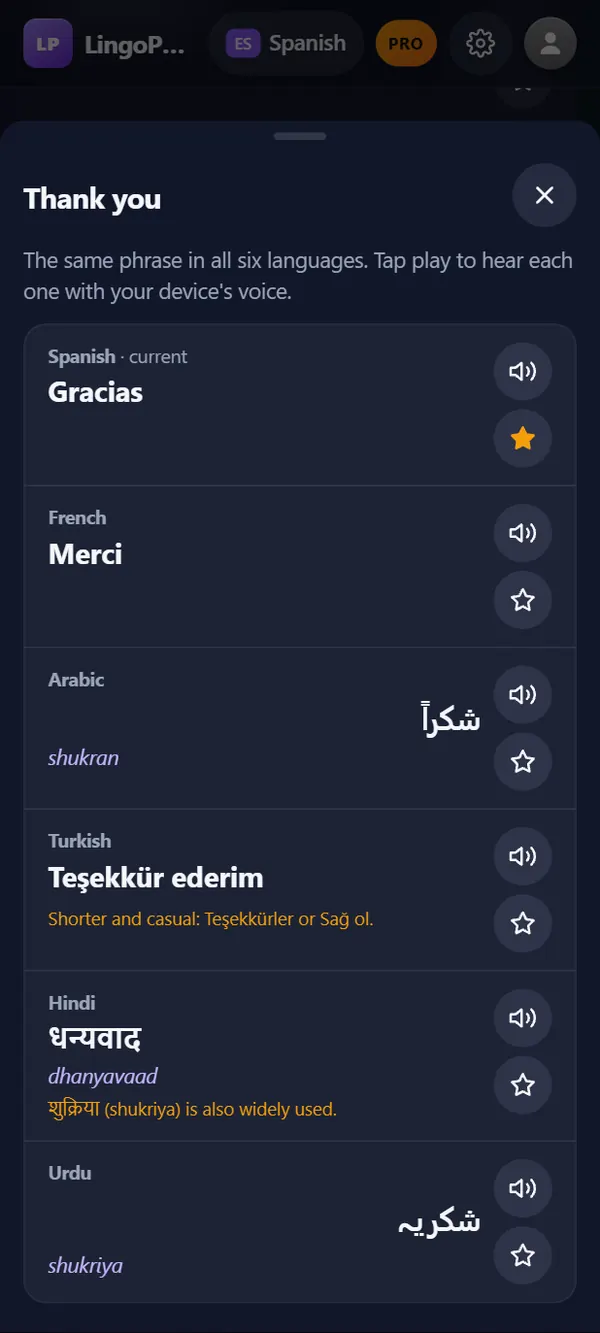
- Step 4
Tap the full-screen button to show the phrase to a taxi driver, waiter or pharmacist. Play and Slowly read it aloud with your phone's voice.
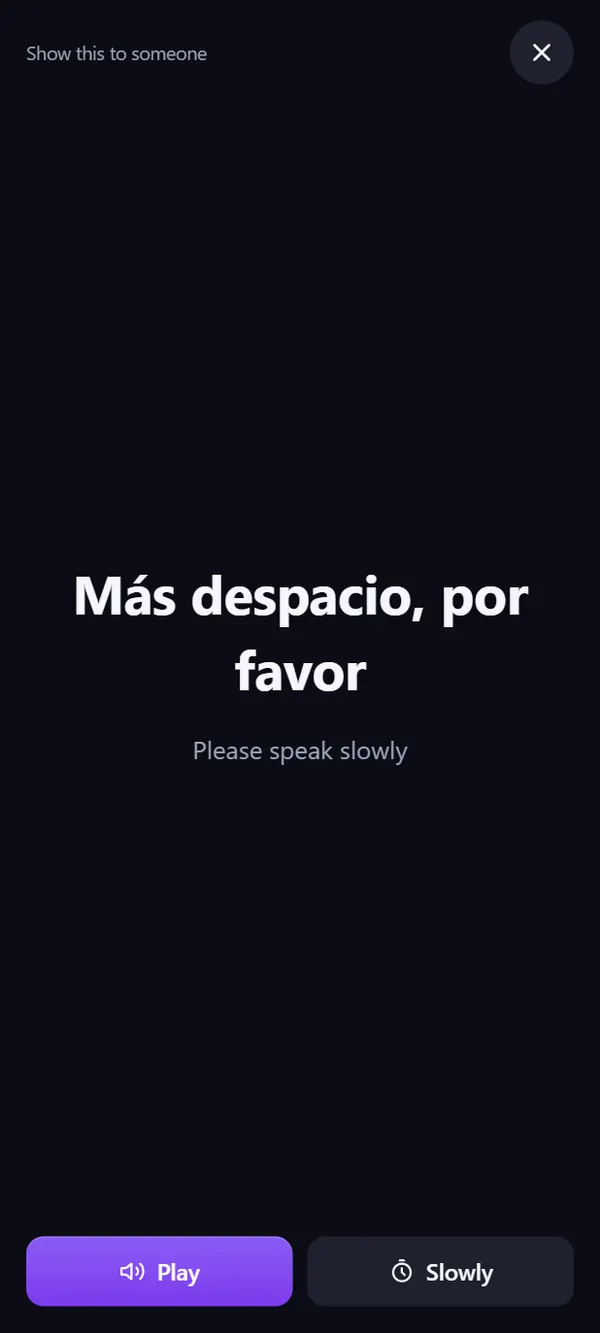
4Practise hands-freeListen to phrases on a loop and repeat after the voice while walking or packing.
- Step 1
On Today, tap Hands-free listening.
- Step 2
Choose what to play: saved phrases, cards due today, a topic, tricky ones or one of your lists. Then tap play.
- Step 3
Turn Say the English first and Repeat slowly on or off, and choose the pause you need to repeat each phrase.
5Take a quizTest yourself with 10 quick questions from a topic, your saved phrases or a list.
- Step 1
Open Quiz and pick a quiz type, such as Meaning to phrase or Phrase to meaning.
- Step 2
Choose a source under Source, for example a topic, Saved, Tricky ones or your trip list, then tap Start quiz.
- Step 3
Answer up to 10 questions. At the end you can send your mistakes straight to today's review.
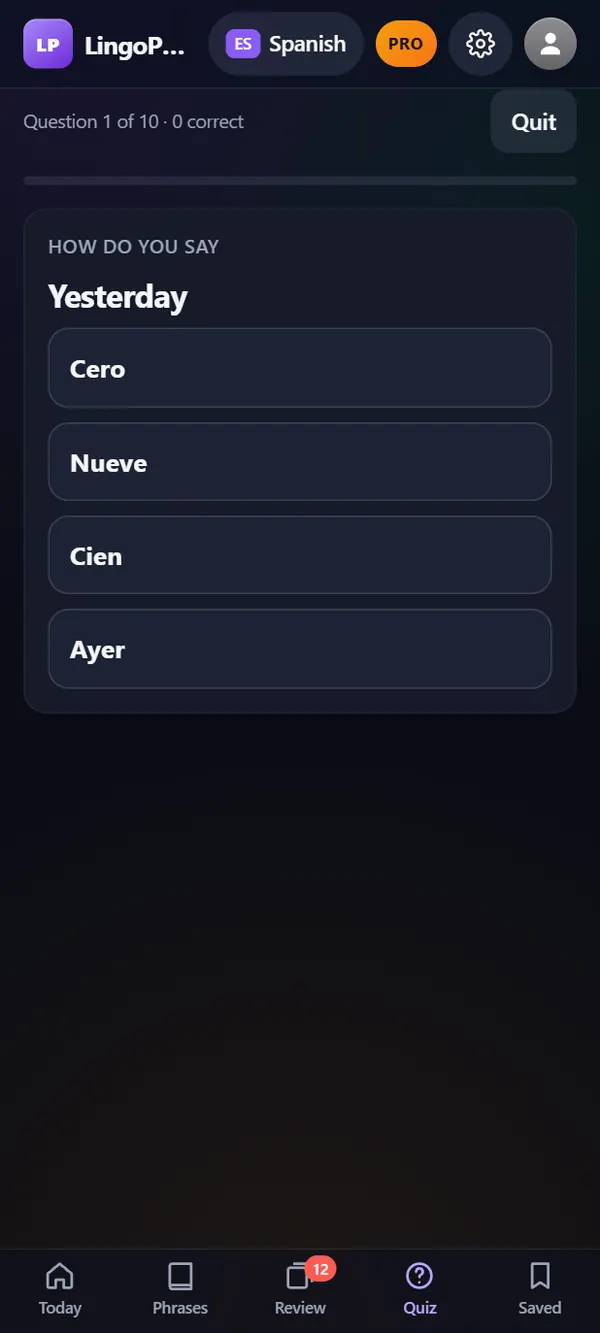
6Save phrases and add your ownKeep the phrases you need in one place, including your hotel address or an allergy.
- Step 1
Tap the star on any phrase to save it. Saved lists them, with Listen and Sheet shortcuts.
- Step 2
To save many at once, tap Select on the Phrases tab, tick phrases and choose Save, Add to list, Study today or Skip in reviews.
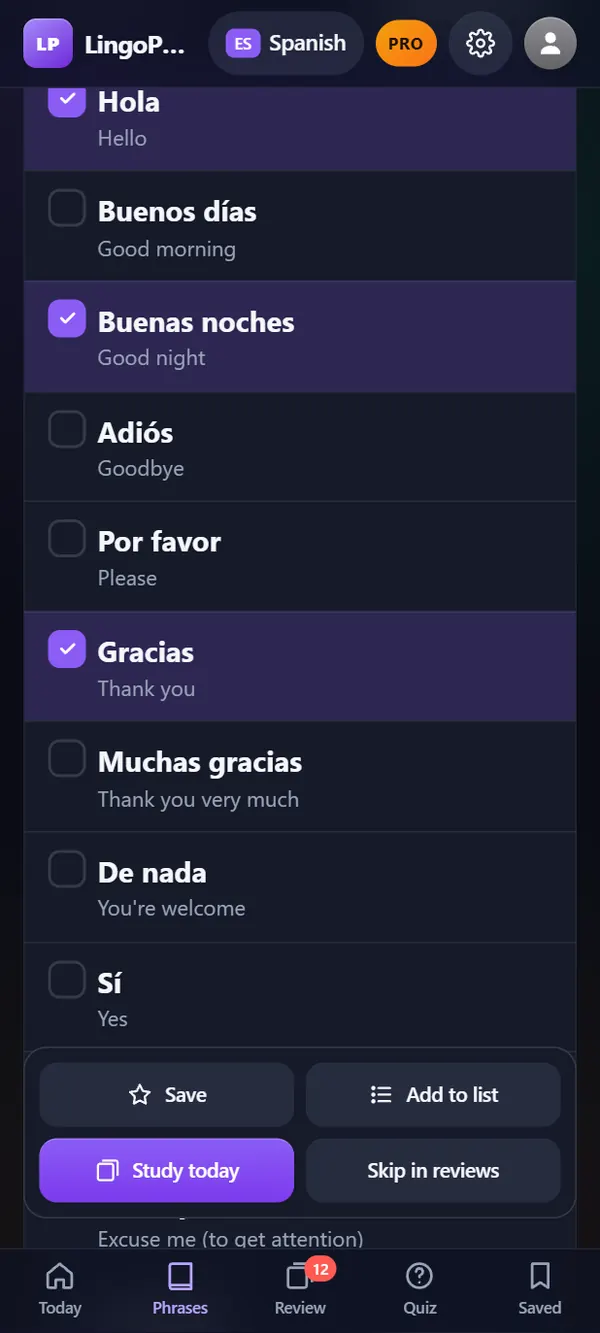
- Step 3
Tap Add phrase under Saved to add your own phrase with its meaning and an optional note.
Free, with optional Pro.
Download LingoPulse free. Pro is optional and billed by Google Play, which shows the price before you confirm.
Free
- The full phrasebook in all 6 languages
- Audio
- Flashcards
- Progress by topic
- The all-languages view
- Both multiple-choice quiz types
- Saved phrases
- Multi-select
- Skipping
- Notes
- 2 lists
- Emergency quick access
- 2 scripted dialogues
- Up to 15 own phrases per language
- CSV import and export
- Backup and restore
- Light and dark themes
LingoPulse Pro (optional subscription, monthly or yearly)
- All 6 dialogues
- Listen-and-pick
- Build-the-sentence and Type-the-answer quizzes (accepts script or romanisation)
- Unlimited own phrases and lists
- A hardest-phrases drill
- A 30-day activity chart with a 7-day review forecast
- Review retention
- Quiz accuracy and a 12-week study calendar
Prices and any trial are shown by Google Play. Renews until you cancel in Google Play.
Manage or cancel subscriptions in Google Play > Payments & subscriptions. Purchases and Restore purchases
Try it now.
Open LingoPulse right here in your browser, or download the Android app file directly.
Open in browser
The full LingoPulse app, running in a new tab. Nothing to install.
Some phone-only features, such as purchases, notifications, sharing and camera scanning, work only in the Android app. Anything you do in the browser is saved in that browser only, unless you sign in to the Bright Loop Account.
Download the APK
Install LingoPulse on an Android phone without Google Play.
- Version
- 1.2
- Size
- 3.9 MB
- SHA-256
bb9abefcad89e24be5e26ee15f821fcc5a4bd0fa5a959a4d732545ccc95260e3
An APK installed from this website can't be updated from Google Play later. To switch to Google Play, uninstall it and install from Play. Your data only comes with you if you back it up with the Bright Loop Account first. How to install an APK
Requirements & details.
- Requires
- Android 7.0 or later
- Size
- 3.9 MB
- Version
- 1.2
- Price
- Free, optional Pro subscription
- Internet
- Not required
- Account
- Optional Bright Loop Account
- Ads
- None
- Category
- Learning, Travel
- Developer
- Bright Loop (Google Play: Bright Loop Games)
- Availability
- Coming soon to Google Play
- Web version
- Open in browser
How to get LingoPulse.
LingoPulse is not on Google Play yet. This page will show a download button as soon as it is.
- Not on Google Play yetThere's no download for LingoPulse today, and no unofficial copies exist. Please don't install it from anywhere else.
- Want a heads-up?Email rehman@mindum.dev and we'll tell you when LingoPulse lands. Meanwhile, explore the apps you can join today.
Account & sync.
Optional. LingoPulse works fully without an account. Sign in to the free Bright Loop Account to back up your LingoPulse data and keep it in sync across your phones.
What syncs
- Study progress and review schedule
- Lists and your own phrases
- Settings
What stays on this phone
- Your Pro status (Google Play restores it)
Account & Sync is part of LingoPulse 1.2. Look for it at the top of Settings.
Privacy.
LingoPulse keeps your data on your phone. No ads and no analytics.
Private by design
No account needed, no ads, no analytics. Everything stays on your phone. Back up to a file, restore on another phone, and export your phrases as CSV.
If you sign in
The Bright Loop Account is optional. If you sign in, LingoPulse backs up the records listed under Account & sync to your account so you can restore them on another phone. Photos and files are never uploaded, and you can export or delete your cloud data at any time.
Read the full Privacy Policy.
Tips.
- Say each card out loud before you tap Show answer; it makes the phrase easier to use when you need it.
- Planning a trip? Set the date a few weeks ahead and tap Focus my study on the essentials so new cards come from the phrases you will need first.
- Add your hotel address and any allergy as your own phrases, then show them full screen when you need them.
- Use Skip on phrases you already know so your reviews stay short.
- If a language has no voice, install one in your phone's text-to-speech settings; LingoPulse tells you when a voice is missing.
- Arabic phrases are Modern Standard Arabic, which differs from spoken dialects, so listen to how locals say things too.
Troubleshooting.
I hear no audio, or the app says a voice is missing.
LingoPulse uses your phone's text-to-speech voices. Install the voice for that language in Android's text-to-speech settings, then return to the app.
Too many reviews pile up.
Lower New cards per day in Settings, skip phrases you already know, or narrow your study topics with Choose on the Review tab.
No new cards appear today.
You may have reached today's new-card limit, or every phrase in your chosen study topics is already in review. Change the topics or the daily number in Settings.
Some quiz types or dialogues show a PRO tag.
Listen and pick, Build the sentence, Type the answer and four of the six dialogues are part of LingoPulse Pro. The two multiple-choice quiz types and two dialogues are free.
My progress is missing on a new phone.
Restore the backup file you made in Settings on the old phone, or sign in to the same Bright Loop Account if you used it.
Questions.
Which languages are included?
Spanish, French, Arabic, Turkish, Hindi and Urdu, with the same 121 phrases in each. Switch language with the language button at the top.
Is the audio recorded by native speakers?
No. Phrases are read by your phone's own text-to-speech voices, at normal or slower speed. If your phone has no voice for a language, the app says so.
How does the review schedule work?
LingoPulse uses the SM-2 spaced repetition method. Each time you rate a card Again, Hard, Good or Easy, it works out when to show it next, so cards come back just before you are likely to forget them.
What does the trip planner do?
You enter where you are going, the language and your departure date. LingoPulse counts down, shows how many of the essential phrases (basics, eating out, getting around and emergencies) you have learned, and suggests how many new phrases a day will cover them in time.
What is the phrase sheet?
From Saved or a list, Sheet saves a plain-text file with the English, the phrase, romanisation and notes for each phrase, which you can print or keep on your phone.
Can I add phrases that are not in the phrasebook?
Yes. Tap Add phrase under Saved, or import a CSV file with the phrase, English, romanisation and a note. Free allows 15 own phrases per language; Pro is unlimited.
Is the Spanish from Spain or Latin America?
Phrases use Spanish as spoken in Spain. Where Latin America says it differently, a note tells you.
Is LingoPulse free?
Yes. LingoPulse is free to download and use. LingoPulse Pro is an optional monthly or yearly subscription through Google Play that adds the extras listed under Free and Pro. Google Play shows the price, and any trial, before you confirm.
When will LingoPulse be available?
LingoPulse is being prepared for Google Play. This page will show a download button as soon as it's ready. Email rehman@mindum.dev if you'd like a note when it lands.
Does LingoPulse work offline?
Yes. LingoPulse works without an internet connection. You only need a connection for optional things like Bright Loop Account sync and Google Play purchases.
Do I need an account?
No. LingoPulse works fully without one. The Bright Loop Account is optional and adds cloud backup and sync across your phones.
How do I move to a new phone?
Sign in to your Bright Loop Account on the new phone and choose "Use Cloud Data", or export a backup file on the old phone and restore it on the new one. Photos and files only move with a backup file. Pro comes back with Restore purchases. See Move to a new phone.
How do I restore a purchase?
Make sure your phone uses the same Google account you bought with, open LingoPulse and tap Restore purchases. Google Play checks your purchases and LingoPulse unlocks what you own. More about purchases.
Can I use LingoPulse in a browser?
Yes. Tap Open in browser to run it in a new tab. Some phone-only features, such as purchases, notifications, sharing and camera scanning, work only in the Android app, and anything you do there is saved in that browser.
Can I install it without Google Play?
Yes, with the APK on this page (version 1.2, 3.9 MB). An APK install can't be updated from Google Play later; see Install an APK on Android.
What do I need to run it?
Android 7.0 or later, or any modern browser for the web version.
Is it available on iPhone?
There's no iPhone app at the moment. LingoPulse is made for Android, but you can open the web version in Safari.
Get help with LingoPulse
Email rehman@mindum.dev. Include your phone model, Android version and what happened, and we'll take it from there.
Help Centre
Step-by-step guides for early access, sync, backups, purchases and moving phones. Visit the Help Centre
More apps you might like.
TripPilot
Offline trip planner: itinerary, ideas, bookings, packing lists and budget.
SubZero
Track subscriptions, bills and EMIs: due reminders, calendar, savings, budgets.
EchoNote
Talk or type your day. Tasks, due dates, ideas and mood are picked out for you.
Unplug
Pomodoro focus timer with offline background sounds, daily goals and a heatmap